Hunar Portal
All platform features

iOS and Android apps

Give learners a branded mobile app experience for daily study.

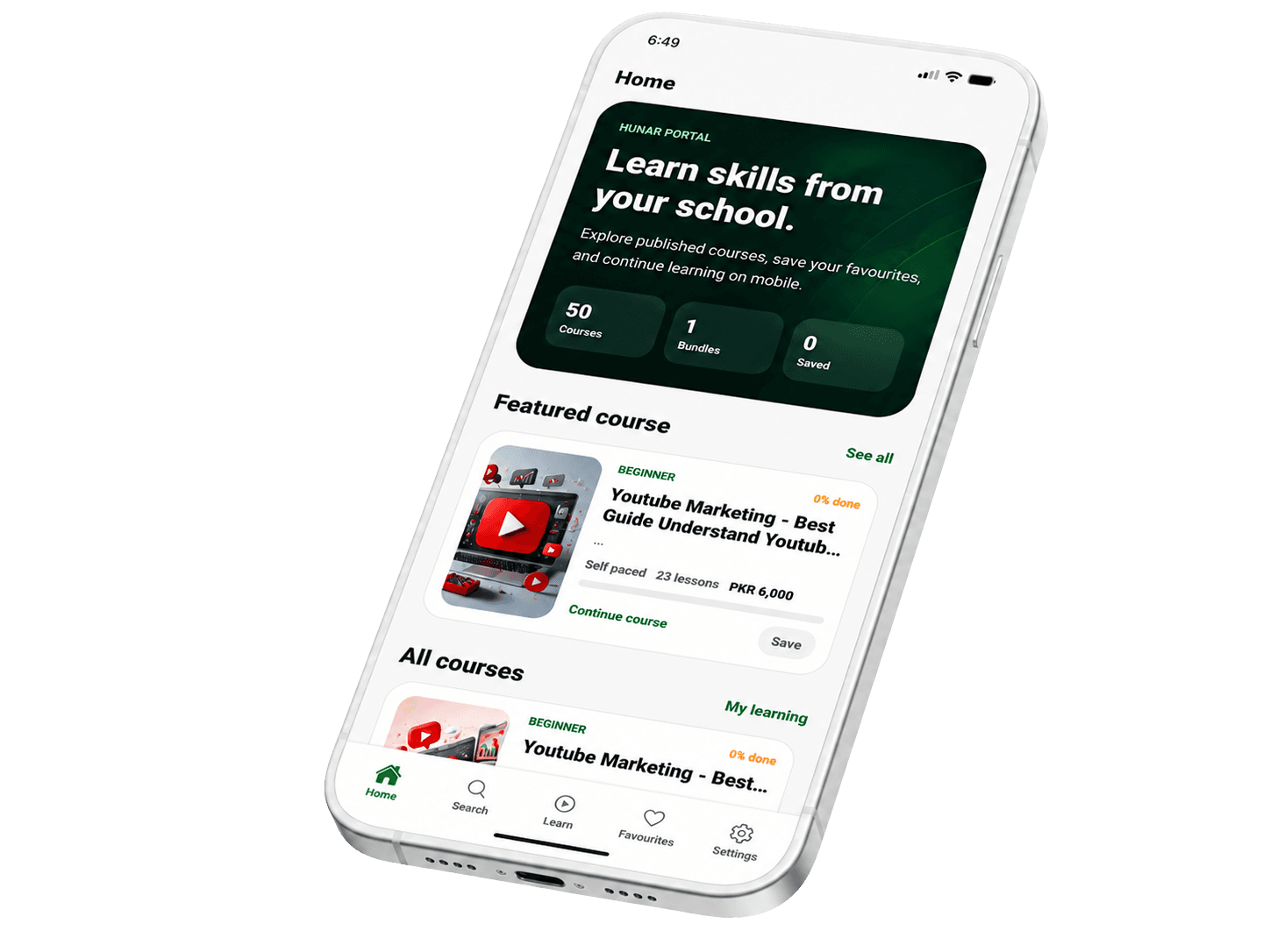
The Hunar Portal mobile app keeps student learning simple on both iOS and Android: enrolled courses, lessons, live schedules, resources, progress, and profile access in a clean mobile-first interface. Schools can also request a custom branded mobile app as an additional add-on.

iOS + Android

Student learning apps

Mobile-first

Course player experience

Add-on

Custom branded school app

Feature command

Mobile app

Android

Student app

6

Learning tabs

66%

Sample progress

01

Enrolled courses

Students continue learning on phone.

02

Live schedule

Upcoming sessions stay visible.

03

Resources

Files and certificates stay easy to access.

Live view

Active
Student-ready
Resource access
Role protected

iOS and Android apps

Learning continues on mobile, under your school brand.

Hunar Portal includes mobile learning for students on both iOS and Android. Schools can also request a custom branded mobile app as an additional add-on, so learners see your academy name, colors, and experience on their phone.

iOS and Android student apps
Courses, bundles, live sessions, resources, and progress
Custom branded school app available as an additional add-on
Professional mobile learning experience for your students
Hunar Portal mobile app preview
01

Let students continue learning from phone screens.

02

Show enrolled courses, progress, lessons, and files.

03

Keep live session schedules easy to find.

04

Offer custom branded iOS and Android apps as an add-on.

Signal 01

iOS + Android

Student learning apps

Signal 02

Mobile-first

Course player experience

Signal 03

Add-on

Custom branded school app

Deep feature tour

What this feature includes

Each page explains the practical LMS workflow, the school benefit, and how this feature connects to course selling, student learning, and operations.

01

Built around the student journey

The app avoids admin clutter and focuses students on learning tasks they repeat every day.

Student dashboard with enrolled courses.
Course player for lessons, progress, and resources.
Live session schedule and upcoming class cards.
Certificates, downloads, and profile access.
02

Consistent with web learning

The same learning products published on the web can be consumed through the app, keeping operations simple.

Courses, resources, and sessions stay connected.
Progress syncs with student records.
Mobile access follows enrollment and payment rules.
Clean UI built for repeated learning use.
03

Production release and branded app support

The app can be prepared for public release, and schools can request their own branded iOS and Android apps as an additional service.

Google Play and App Store publishing paths.
Custom branded school app available as an add-on.
Store listing, release notes, and testing track support.
Crash analysis support with optional mapping files.

Workflow

How schools use it day to day

For many Pakistani learners, the phone is the main classroom. The student app makes that experience serious.

Hunar Portal mobile team

01

Enroll

Students join a course or program from the web or school flow.

02

Open

They see enrolled content inside the mobile app.

03

Learn

They continue lessons, access resources, and attend live classes.

04

Complete

Progress and certificates stay connected to their account.

Ready for production

Bring this feature into your school website, LMS, and mobile learning flow.

Hunar Portal is built for academies, schools, teachers, and organizations that want one connected platform for teaching and selling.

Talk to the team